

Download Mindjet MindManager – Powerful Mind‑Mapping & Project Management Tool
Overview
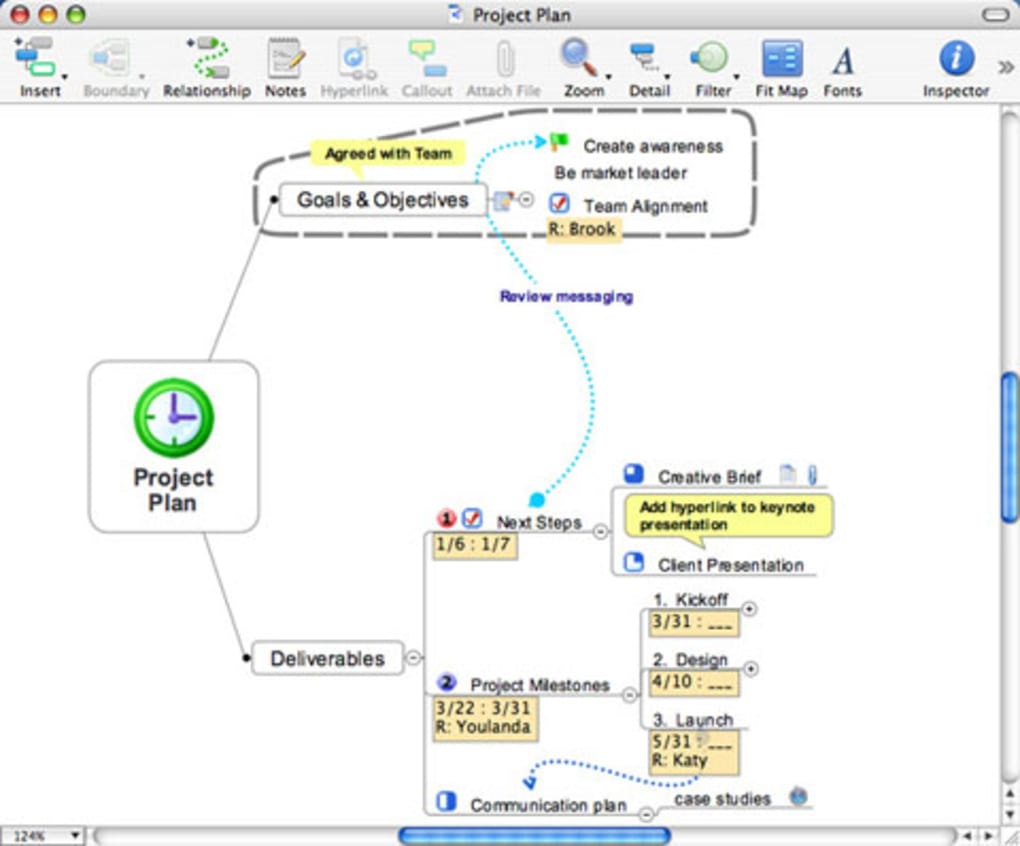
Mindjet MindManager is a trial‑version business program designed specifically for macOS users who need a visual, flexible, and highly collaborative way to organize ideas, projects, and complex information. First released for Mac OS X and continuously updated (the current build is 7.0.537, refreshed on June 15 2012), MindManager combines classic mind‑mapping with robust project‑management features such as task tracking, Gantt charts, and resource allocation. Its intuitive drag‑and‑drop interface lets users turn raw thoughts into structured plans in minutes, making it a favorite among consultants, product teams, and educators across the Russian Federation, Austria, and Mexico.
The trial version is free to download, occupies far less disk space than many competing business tools, and provides a secure, sandboxed environment where you can explore every major function before deciding on a full license. Whether you are sketching a strategic roadmap, planning a product launch, or simply visualizing a brainstorming session, MindManager offers a unified workspace that bridges creativity and execution. The software is localized in English and supports the latest macOS releases while maintaining backward compatibility with older OS X versions, ensuring a smooth experience for both modern and legacy hardware.
Key Features That Set MindManager Apart
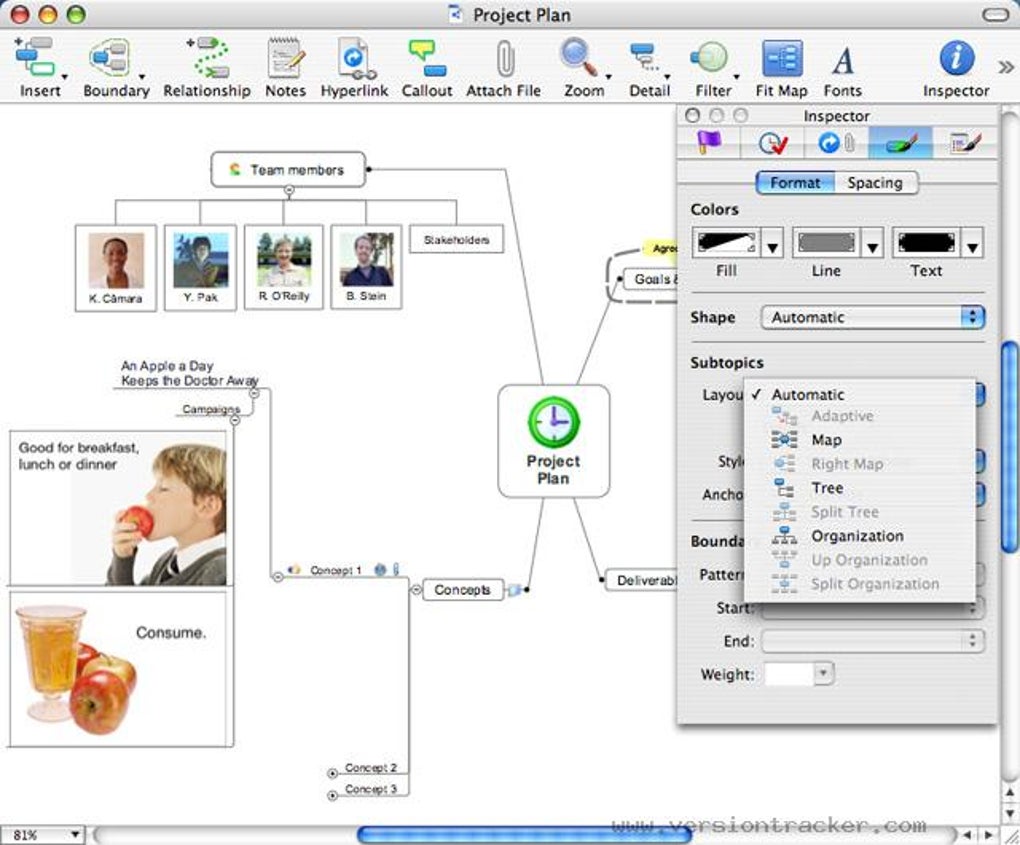
- Dynamic Mind‑Mapping Canvas: Create unlimited nodes, sub‑topics, and hyperlinks that automatically adjust layout for optimal readability.
- Integrated Project Management: Convert mind maps into Gantt charts, assign resources, set deadlines, and track progress without leaving the canvas.
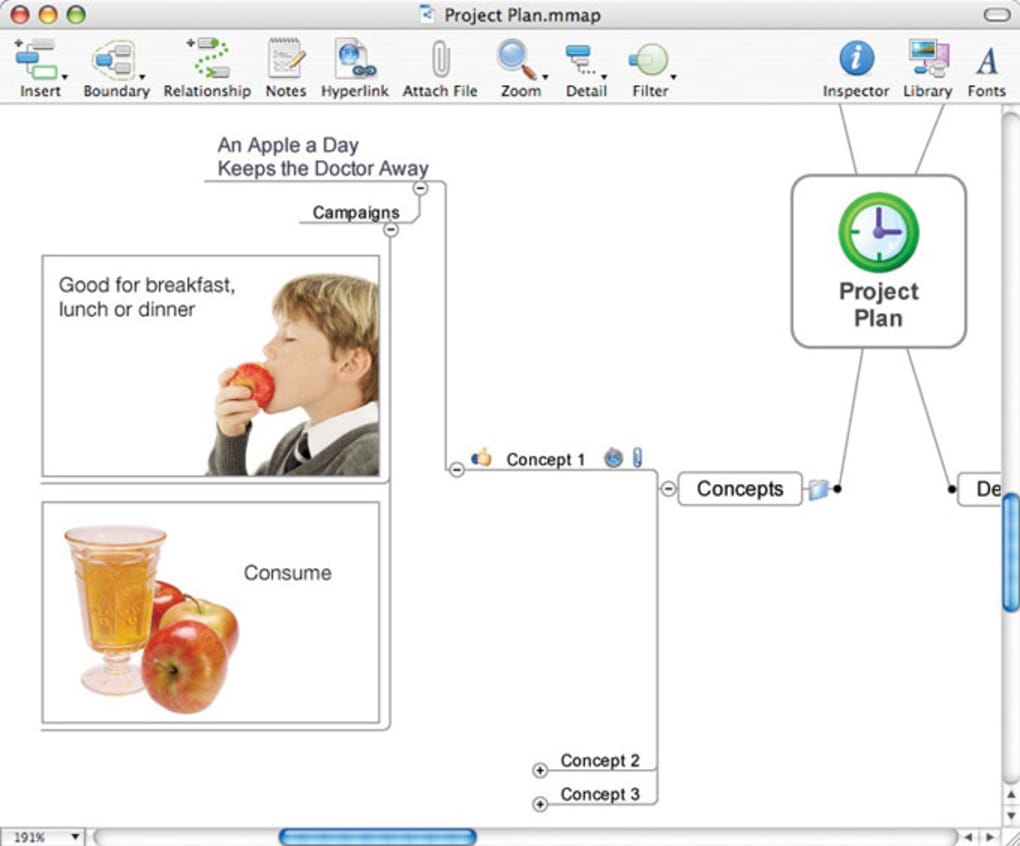
- Rich Media Embedding: Attach files, images, videos, and web links directly to map elements, turning abstract ideas into actionable assets.
- Collaboration in Real Time: Share maps with team members, comment inline, and see edits live, which is essential for distributed teams.
- Export & Import Flexibility: Export to PDF, Microsoft Project, Word, PowerPoint, and various image formats; import from Freemind, OPML, and other mind‑mapping tools.
- Templates Library: Over 150 pre‑built templates for strategic planning, SWOT analysis, product road‑mapping, and more, allowing you to start quickly.
- Task Management Dashboard: Centralized view of all tasks derived from your maps, complete with priority flags, status colors, and custom filters.
- Advanced Search & Filtering: Locate any node or task in seconds using keyword, tag, or attribute based search.
- Secure Cloud Sync: Optional integration with Mindjet Cloud, Dropbox, and OneDrive ensures your maps are backed up and accessible on any device.
- Customization & Extensibility: Add custom shapes, colors, and icons; use the built‑in scripting engine to automate repetitive actions.
These features are not merely a checklist; they represent a cohesive ecosystem that empowers users to transition seamlessly from brainstorming to execution. The real‑time collaboration engine, for instance, eliminates the need for endless email threads, while the export options guarantee that stakeholders who prefer traditional documents can still receive polished deliverables. MindManager’s emphasis on visual clarity—through auto‑layout algorithms and color‑coded task statuses—helps reduce cognitive overload, a common pitfall in large‑scale projects. Moreover, the trial version grants unrestricted access to all these capabilities for a limited period, allowing businesses to evaluate the return on investment before committing to a full license.
Installation, Setup, and First‑Run Experience
Getting started with Mindjet MindManager on a Mac is straightforward and designed for users of any technical proficiency. Follow these steps to ensure a smooth installation:
- Download the Installer: Visit the official Mindjet website or a trusted software portal, click the “Download Free Trial” button, and save the
.dmgfile to yourDownloadsfolder. - Verify Security: macOS will warn you if the app is from an unidentified developer. Right‑click the
.dmg, select “Open,” and confirm you want to proceed. This one‑time action safeguards against malicious software while allowing MindManager to install. - Mount and Install: Double‑click the
.dmgto mount the disk image. Drag the MindManager icon into theApplicationsfolder. The installer automatically copies the necessary files and registers the app with Launchpad. - Launch and Register: Open MindManager from the
Applicationsfolder. On first launch, you’ll be prompted to enter your email address to activate the trial. No credit card information is required for the trial period. - Initial Configuration: Choose your preferred language (English by default), select a default storage location (local or cloud), and optionally import an existing map file to explore the interface.
- Explore the Tutorial: MindManager includes a guided tutorial that walks you through creating your first mind map, adding tasks, and exporting a Gantt chart. Completing the tutorial usually takes 10‑15 minutes and helps you become comfortable with the toolbar, side panels, and keyboard shortcuts.
Once installed, MindManager integrates with macOS’s native services, allowing you to drag files from Finder directly onto map nodes. The application also respects macOS’s sandboxing rules, meaning it only accesses the folders you explicitly grant permission to, enhancing data security. For organizations with strict IT policies, the trial can be deployed via a managed deployment package, ensuring consistent versions across multiple machines.
System Requirements: MindManager 7.0.537 runs on macOS 10.6 Snow Leopard and later, requiring at least 2 GB of RAM and 300 MB of free disk space. While the trial version is lightweight, a modern Mac with an SSD will provide the fastest performance, especially when handling large, media‑rich maps.
Pros, Cons, and Frequently Asked Questions
Pros
- Intuitive visual interface that reduces the learning curve.
- Full‑featured project management tools embedded directly in the mind‑map.
- Robust real‑time collaboration across macOS, Windows, and mobile platforms.
- Extensive template library accelerates common business workflows.
- Secure cloud sync options keep data safe and accessible.
- Free trial offers unrestricted access to all premium features.
Cons
- Trial period is limited; users must purchase a license for continued use.
- Advanced scripting requires some programming knowledge.
- Higher system requirements for very large maps with embedded media.
- Pricing for full version may be steep for solo freelancers.
Frequently Asked Questions
How long does the MindManager free trial last?
The trial provides full access to all features for 30 days. After the period expires, you can either purchase a license or continue using the software with limited functionality.
Can I import maps from other mind‑mapping tools?
Yes. MindManager supports import from Freemind, OPML, and several other formats, allowing you to migrate existing workbooks without starting from scratch.
Is there a mobile version that syncs with the desktop app?
Mindjet offers iOS and Android apps that synchronize via Mindjet Cloud, Dropbox, or OneDrive. Changes made on mobile devices appear instantly on the Mac version.
What kind of support is available during the trial?
Trial users receive access to the online knowledge base, community forums, and email support. Phone support is reserved for licensed customers.
Can I use MindManager for non‑business purposes, such as personal planning?
Absolutely. The flexible canvas is ideal for personal goal setting, travel itineraries, study notes, and more. The same features that help teams stay aligned can be leveraged for individual productivity.
Overall Verdict: Mindjet MindManager delivers a powerful blend of visual brainstorming and concrete project management. Its trial version gives users a genuine feel for the product’s capabilities, making it a worthwhile download for anyone serious about turning ideas into action.
Conclusion & Call to Action
In a marketplace flooded with generic diagramming tools, Mindjet MindManager stands out by uniting creative mind‑mapping with rigorous project‑management methodology—all within a single, secure macOS application. The free trial removes financial risk, letting you test the auto‑layout engine, real‑time collaboration, and deep export options before committing. Whether you’re a project manager coordinating a cross‑functional team, a consultant visualizing a client’s strategic roadmap, or an individual seeking a smarter way to organize personal goals, MindManager offers a feature‑rich, scalable solution that grows with your needs.
Ready to experience the power of visual project planning? Free trial download is just a click away. Install today, explore the templates, and watch how your ideas transform into actionable plans.







